
Debrief: 17/18 June Workshop

Written in collaboration with Olexandr Konovalov.
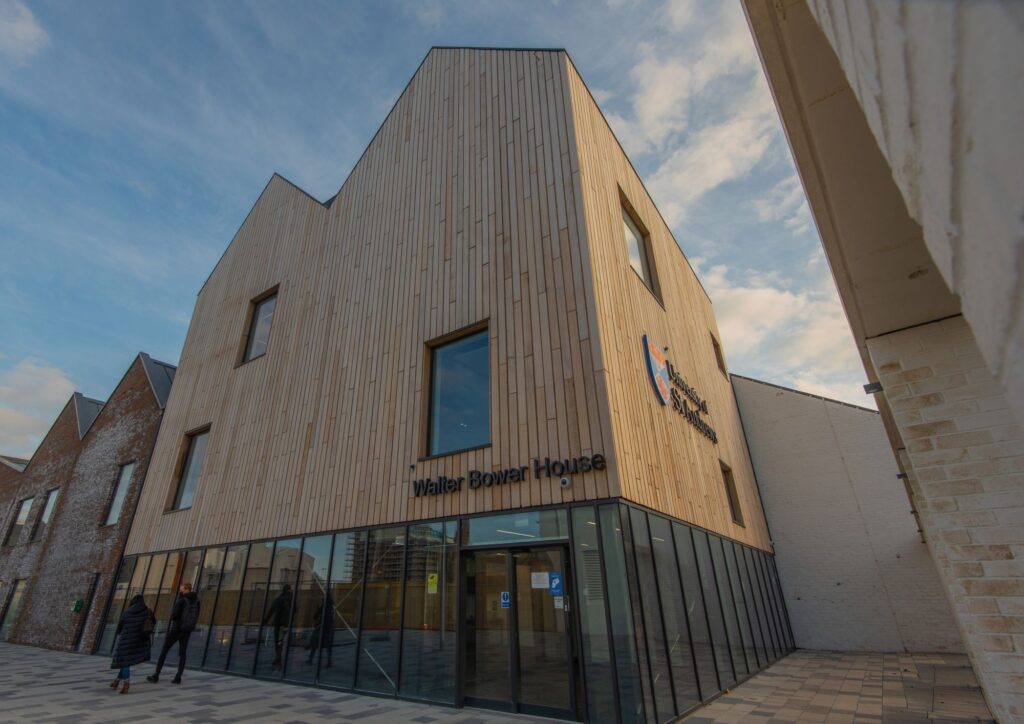
On 17 and 18 of June 2025 we ran a Software Carpentry workshop covering the Unix Shell, Version Control with Git and Programming with Python. Thanks to OSDS for organising the workshop and to our Helpers Swithun Crowe, Oliver Hartley and Volodymyr Kharchenko. The workshop was held in the Cathedral Room at Walter Bower House, Guardbridge – a really good room for a workshop, especially in terms of the A/V setup.
Olexandr taught the Unix Shell and Version Control with Git lessons in the morning sessions and Paddy taught the Python lesson over the two afternoons.
Setup issues
We always expect our Instructors and Helpers to be busy at the start of the Shell and Python lessons dealing with setup issues, and this workshop was no exception.
The shell issues were soon sorted out – one case reminded of the importance of the last part of the Windows setup instructions about making sure the HOME environment variable is set, and a few participants had their Desktop located within OneDrive – but the Python issues proved more difficult.
Carpentries Workshops used to ask learners to install Anaconda which, though it could take a bit of time, generally worked well and provided everything needed for the workshop in one go. However, uncertainty around the language in the new Anaconda terms of service introduced last year, particularly with regard to universities, has led to that being changed.
Carpentries Instructors and Maintainers have been working hard on finding a solution that works, but it would seem that there is a bit more work needed. In particular, the lesson content still references Anaconda while the setup instructions on the workshop webpage have been updated to use Miniforge. Also, the relative complexity of the instructions presents a challenge and we saw a range of issues among the learners with a range of solutions.
The new instructions include setting up a virtual environment, and the lesson material doesn’t mention the need to activate that. There may even be a case to be made for going further and teaching learners about virtual environments in the lesson as they are increasingly front and centre when working with Python. Attempts to install packages globally using pip are frequently met with a message like:
error: externally-managed-environment

× This environment is externally managed
╰─> To install Python packages system-wide, try apt install
    python3-xyz, where xyz is the package you are trying to
    install.

    If you wish to install a non-Debian-packaged Python package,
    create a virtual environment using python3 -m venv path/to/venv.
    Then use path/to/venv/bin/python and path/to/venv/bin/pip. Make
    sure you have python3-full installed.

    If you wish to install a non-Debian packaged Python application,
    it may be easiest to use pipx install xyz, which will manage a
    virtual environment for you. Make sure you have pipx installed.

    See /usr/share/doc/python3.11/README.venv for more information.

note: If you believe this is a mistake, please contact your Python installation or OS distribution provider. You can override this, at the risk of breaking your Python installation or OS, by passing --break-system-packages.
hint: See PEP 668 for the detailed specification.
(This particular example is from Debian Linux, and users of other operating systems may see a variation of this).
This behaviour would seem to make a knowledge of virtual environments almost a pre-requisite for working with Python.
We did eventually get everyone up and running with Python, though some users encountered further issues when attempting to import e.g. numpy.
Sticky note feedback
At the end of each lesson, the learners are asked to give feedback using the sticky notes which they’ve been using through the workshop to indicate when they need help, when they’ve completed an exercise etc. They are generally asked to state one thing that they liked about the lesson and one thing they thought could be improved.
The Unix Shell
Among most useful things that the participants have learned, they have named automating data analysis tasks, manipulating with files without using the graphical users interface, as well as specific commands and their options. Some highlights from positive comments include
Instructors enthusiasm and attitude was the best part of this morning
Good introduction to Git Bash for beginners
On the other hand, a few participants mentioned that the pace of the lesson picked up towards the end of the session and became harder to follow, or that they would like to have some commands, especially from the second half of the lesson explained in more details. This was inevitable due to the time constraints; however, getting right the initial part of the lesson (navigating and working with files and directories) is crucial for the remaining part of the workshop, and it was important to go slower in order to make sure that everyone is able to proceed. To save time in the second half of the lesson, we did not teach the last episode on finding things, and incorporated loops into the shell scripts. We hope that we still managed to convey the key ideas that will help to learners using the UNIX shell lesson for self-study.
Version Control with Git
One of the important aspects of the Git lesson is its setup. As once a participant of one of our previous workshop noted in their sticky note feedback, “Now I have Git installed and configured on my laptop, and I have no excuse for not using version control any more”. Indeed, the lesson starts with setting up various Git options such as user details to sign commit messages, preferred editor to edit commit messages, default name of the main branch, and handling files with Windows line endings. Ensuring that these are set up correctly from the start not only helps to ensure similar Git behaviour for all learners during the workshop, but also will help them to avoid unpleasant surprises later (e.g. when Git shows that every line in a file was changed, due to changes in line endings format, or when they are trapped in the Vim editor and don’t know how to quit). Furthermore, we help learners to set up key-based authentication on GitHub.
The lesson was finished with collaborative exercise in pairs, when one of the learners was the owner of the repository and another – their collaborator. Again, as some learners noticed, they would love to have more time to practice and repeat several more attempts of collaborating; on the other hand, we did explained and seen learners practicing resolving merge conflicts, what is absolutely crucial to know before they will encounter merge conflicts on their own.
The positive feedback was absolutely encouraging to read – here is a sample of our favourites:
Structure and speed of content was great; would recommend this course to others
Good to get my confusion about git collaboration sorted (when the same file is being edited by two people)
Resolving the conflicting edit in the same file remotely – that was very cool!
Breakdowns of the exact purpose & use of Git & GitHub – I can finally start using this!
Really helpful learning how to collaborate with other users, and the examples were really helpful
How to merge and commit changes between collaborators; setting up SSH
So glad to finally learn how to do this properly
Programming with Python
At the end of each half of the Python lesson, the learners were asked to state one thing they liked and one thing they thought could be improved. On the first day, they were asked not to mention the setup issues as the thing to be improved as we were already aware of that.
A couple of learners found the lesson a bit basic and had hoped it would cover some more advanced topics, including Object-Oriented Programming. Unfortunately, that is not possible in a workshop catering for learners with no programming experience; it may be necessary to better manage expectations around this for future Software Carpentry workshops and to look at the possibility of delivering a workshop around the in-development Intermediate Research Software Development lesson.
While there was some positive feedback on the pace of the lesson on the first afternoon, some learners found it moved too quickly towards the end of the second. These comments were not, as they often are, balanced by others suggesting the lesson was too slow, so this is definitely something to take on board for future workshops.
There were some complaints about the amount of typing and a suggestion that there could have been more copying and pasting. This may relate specifically to the way a significant block of code is used to generate visualisations; the same code is then used again within a loop so it can be used over multiple data files, and again within a function. While it is tempting to copy-and-paste here, there is a danger when doing so of moving too quickly, especially when jumping between notebooks or parts of a notebook. Tweaking existing code can also be more difficult to follow than writing new code.
Several learners would have liked a greater range of applications rather than working with the same dataset throughout. While this might help learners to see the versatility of the techniques being taught, the introduction of new datasets might slow the lesson down. It is unfortunately inevitable when working with a single example that it will be more relevant to some learners than others.
Some favourites from the positive comments:
Defining functions was excellent. This course helped me to understand where to start.
I understand the error messages better now and was able to fix some of my mistakes myself
Learning how to add help message [within] the function definition. Thank you!
Felt comfortable during entire course. Easy to approach for help and guidance.
Further support
Support is available beyond the 2 days of the workshop.
- Paddy and Swithun work for the Research Computing service, which exists in part to support researchers who write code, and can be contacted via [email protected].
- Olexandr is the lead of the Research Software Group in the School of Computer Science.
- Researchers can connect with peers who code via the Research Software team in Microsoft Teams